CAPTURE EVERY THING
Download QDatDroid for Android.
Share a few details so we can support your RFID deployment and keep your team up to date.
QDatDroid enables mobile RFID for QDat workflows on Android phones, tablets, and Zebra RFID handhelds. Submit the form below to access the APK and get deployment support.
- •Android phones and tablets with Zebra RFID readers
- •Zebra handhelds with RE40 modules
- •Commissioning and cold-chain assurance workflows
- •Optional MQTT back-end integration
What's newv2.4.13
v2.4.122026-06-27
Fixed
- •Multimodal scan messages are now visible. Status messages during a multimodal scan (RFID captured, code/text added, scanner starting up, etc.) used to appear behind the scan window — they now show on top of it.
v2.4.112026-06-27
Changed
- •The multimodal scan no longer fights the RFID reader. Opening a multimodal scan now stops the running RFID inventory, and the hardware trigger no longer starts an RFID scan while you're in the multimodal window. To capture an RFID tag there, use the on-screen RFID button. (The imager/barcode trigger still works as before.)
v2.4.102026-06-27
Changed
- •More reader actions now require a connected RFID reader. OPUS Arm and Read Memory join OPUS Status, Read Logger, Locate, Modify Memory and the EM4425 DPP URL actions in showing "Connect an RFID reader to use this" when no reader is connected. NFC and camera features are unaffected.
v2.4.92026-06-27
Changed
- •Reader actions are now clearly unavailable without an RFID reader. OPUS Status, Read Logger, Locate, Modify Memory, and the EM4425 Read/Write DPP URL actions now tell you to "Connect an RFID reader to use this" if no reader is connected, instead of failing partway through. NFC and camera features are unaffected.
v2.4.82026-06-27
Fixed
- •The RFID reader no longer gets stuck after a reboot. On the TC22R the built-in RFID radio takes a few minutes to start up after the device powers on, and connecting before it was ready used to leave the app unable to connect until you force-closed and reopened it. The app now recognises this and shows a countdown telling you how long until the radio is ready, with a Close app button — reopen when it says ready and it connects on the first try. The estimate gets more accurate for your device over time.
- •The barcode/imager scanner tells you when it's still starting up. Right after a reboot the scanner (DataWedge) also needs a short while to be ready; scanning too early now shows a brief "scanner still starting up — ready in ~N seconds" message instead of doing nothing.
- •NFC and camera modes keep working immediately after a reboot — they don't depend on the RFID radio or the barcode scanner, so they're available right away.
PROVISIONING ARCHITECTURE
How MQTT provisioning keeps a QDatDroid fleet aligned and ingestion-ready.
QDat uses MQTT as a command and telemetry backbone so device identity, app configuration, and workflow policy can be rolled out consistently across any fleet size.
Fleet Provisioning
Each device is registered with a unique identity and mapped to a site, role, and policy profile. MQTT topics scope what each Droid can publish and subscribe to from day one.
App Provisioning
The QDatDroid app receives remote configuration packages over MQTT: endpoints, feature flags, scan rules, validation logic, and offline sync behavior. Updates propagate in near real time.
Operational Consistency
Every frontline worker follows the same guided capture flow, with identical event schema and quality controls, reducing data drift between facilities and shifts.
01Bootstrap and authenticate
Device checks in, receives credentials, and binds to approved MQTT channels for its assigned operation.
02Deliver app policy
App-level provisioning pushes the exact workflow package needed for the frontline role, including required fields and scan thresholds.
03Capture standardized events
Reads, timestamps, geospatial context, and operator actions are emitted through consistent payload contracts into the QDat ingestion pipeline.
04Monitor and iterate at scale
Teams can roll out configuration changes centrally and verify adoption quickly, enabling reliable ingestion from thousands of active workers.
Capabilities
Everything QDatDroid captures in the field
QDatDroid bridges the physical and digital worlds: it reads RFID tags (UHF RAIN and NFC), configures sensors, captures GPS-stamped spatiotemporal events, and publishes everything live to QDat.io over MQTT — online or offline.
Multi-protocol RFID reading
- •UHF RAIN RFID via sled, handheld and tablet readers for long-range, high-throughput reads
- •Built-in NFC for close-range interactions and provisioning
- •Native Zebra RFID SDK support across the full device range
- •Sleds: RFD40, RFD40 Premium / Premium Plus, RFD4051, RFD90
- •Handhelds: MC33xR, TC53e, TC22R, EM45, WS50
- •Qualcomm Dragonwing QCM-6690: next-gen platform with on-device AI — TC501 / TC701 handhelds and the ET401, the first RFID-enabled tablet
- •1D/2D barcode scanning for hybrid workflows
Find any tag, instantly
- •Visual Tag Locate finder — one smoothed proximity curve flows blue → amber → green as you close in on the tag
- •Live signal chip plus a peak marker that never drops, so you always see your strongest read
- •Hands-free Auto-isolate locks onto the loudest tag automatically once it holds the lead for a few seconds
- •Adaptive antenna power recovers fast from saturated tags instead of freezing the radio
- •Optional log scale spreads out faint, low-signal detail when you're still far away
Asset management in the field
- •Sign in to your QDat.io account right from the app — or spin up an instant demo with one tap, no credentials needed
- •Snap photos with the built-in camera and attach them to any tag; on an RFD sled the upper trigger doubles as the shutter
- •View and edit full asset details on the spot — name, category, location, value, acquisition date and notes
- •Works straight from the tag's EPC, so you can update an asset without keeping it in the beam
Sensor integration
- •Temperature from sensor-enabled RAIN tags (Axzon Magnus / NuroVault)
- •Moisture sensing from compatible tags
- •Battery-assisted passive (BAP) sensor support
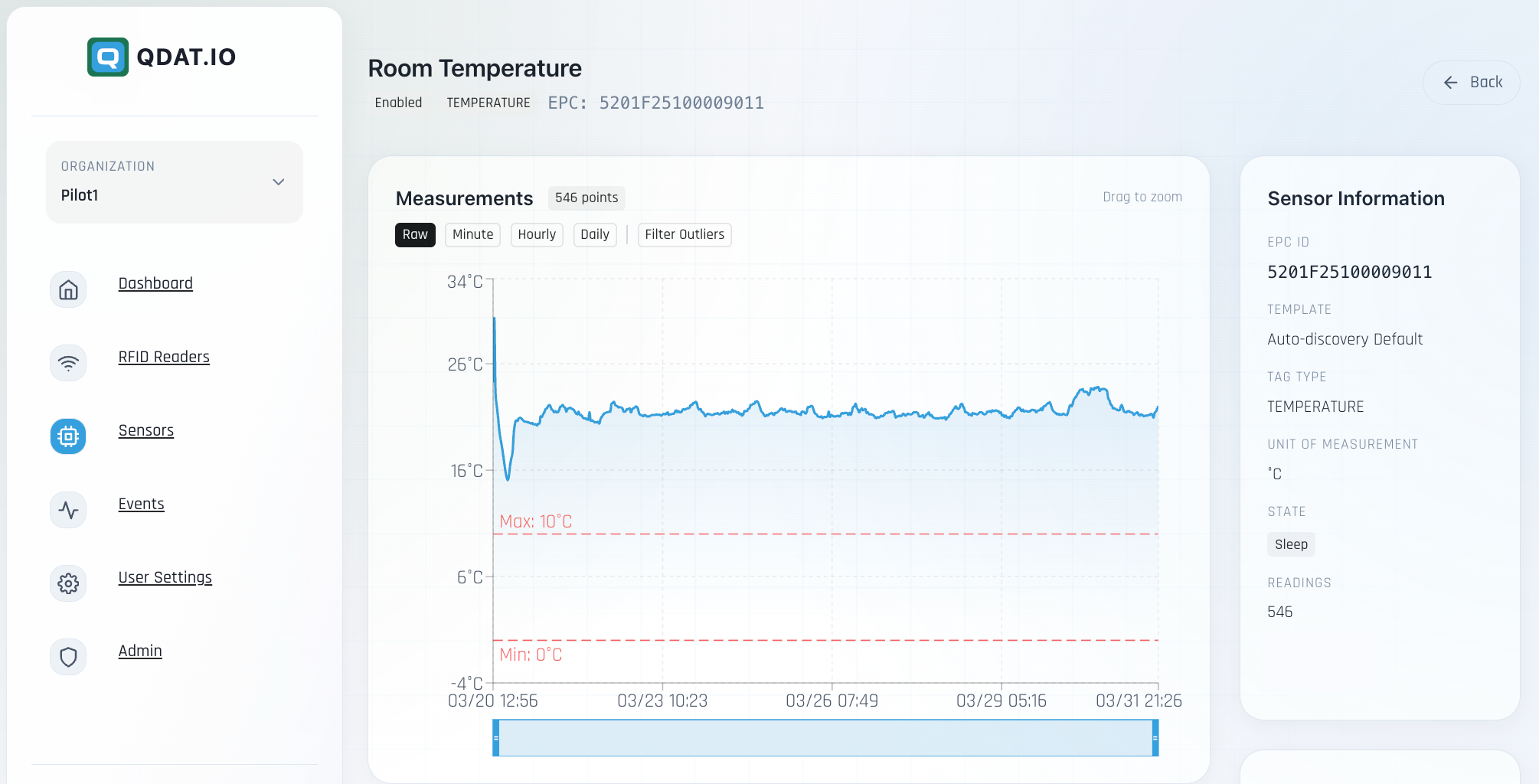
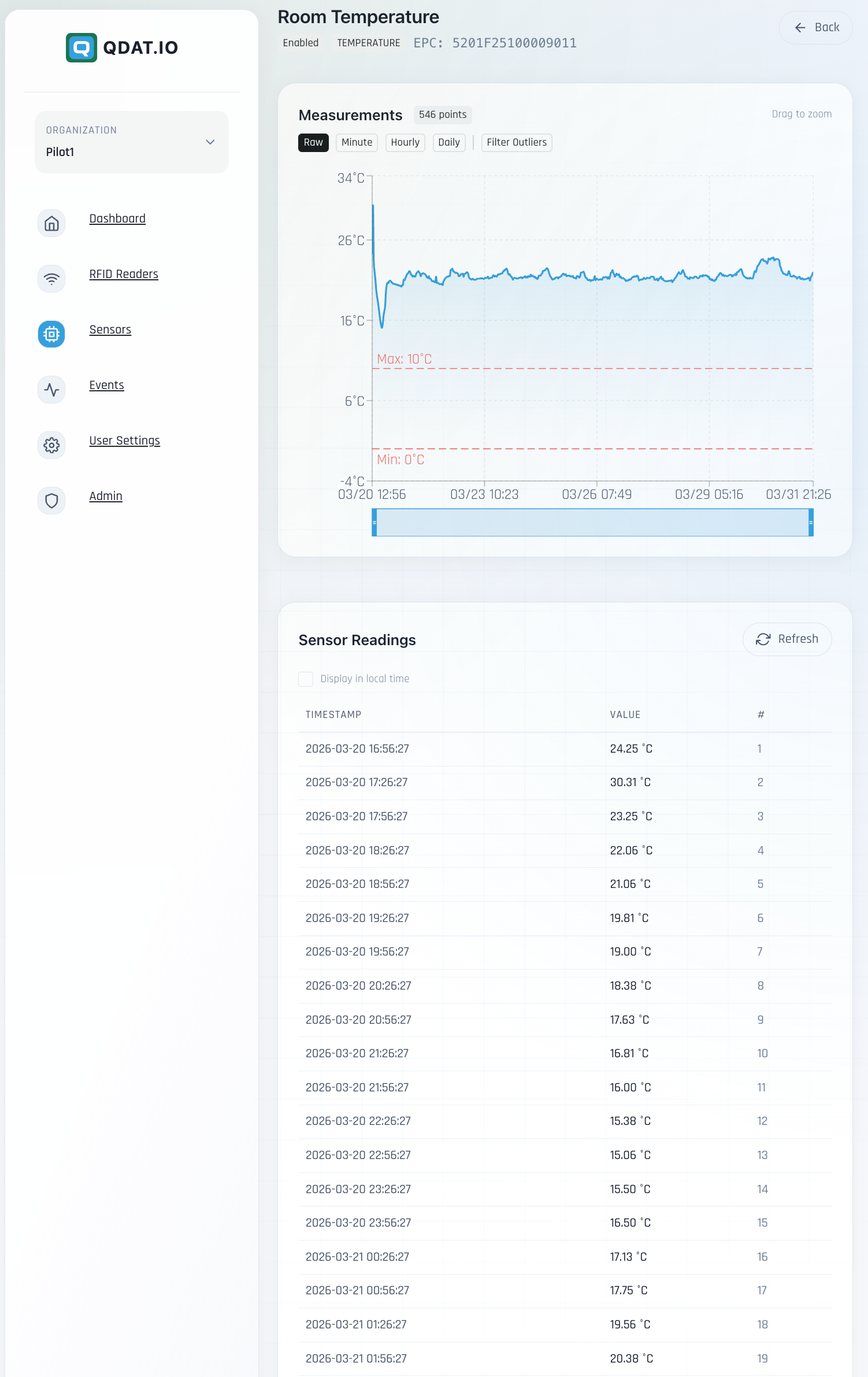
- •Live sensor readings streamed to QDat.io as they are captured
Spatiotemporal capture
- •Every scan stamped with precise GPS coordinates
- •Millisecond-accurate event timing
- •When / What / Where model for every tag read
- •Movement tracking as assets move through space over time
MQTT connectivity
- •Tag reads and sensor data streamed live to QDat.io
- •Local-first offline queue — capture continues when the network drops, then syncs on reconnect
- •Heartbeat protocol shows the device as a live reader on the dashboard
- •Bidirectional control — the platform sends commands and config back to the device
Tag provisioning & writing
- •NDEF writing of Digital Product Passport URLs and structured data
- •EPC encoding of UHF tag memory with canonical identifiers
- •Batch provisioning for deployment workflows
- •Read/write locks and passwords on commissioned tags
Built for the field
- •Clean Material Design Android interface
- •Dark and light themes that follow the device
- •Multi-language interface
- •Configurable capture workflows for different operations
- •Offline maps to view asset locations without connectivity
Technical highlights
ArchitectureLocal-first with reactive data flow; survives connectivity loss without data loss
ProtocolsUHF RAIN RFID (EPC Gen2 / ISO 18000-63), NFC (ISO 14443 / 15693), MQTT over WebSockets
ReadersZebra sleds (RFD40, RFD40 Premium / Premium Plus, RFD4051, RFD90), handhelds (MC33xR, TC53e, TC22R, EM45, WS50), Qualcomm Dragonwing QCM-6690 devices (TC501 / TC701 handhelds, ET401 — first RFID-enabled tablet). Also features integrated Android NFC enabling QDatDroid to run on any Android phone or tablet with NFC integrated.
SecurityTLS-encrypted transport, tag-level read/write locking
Visual Walkthrough
Full flow, compressed into a compact reel
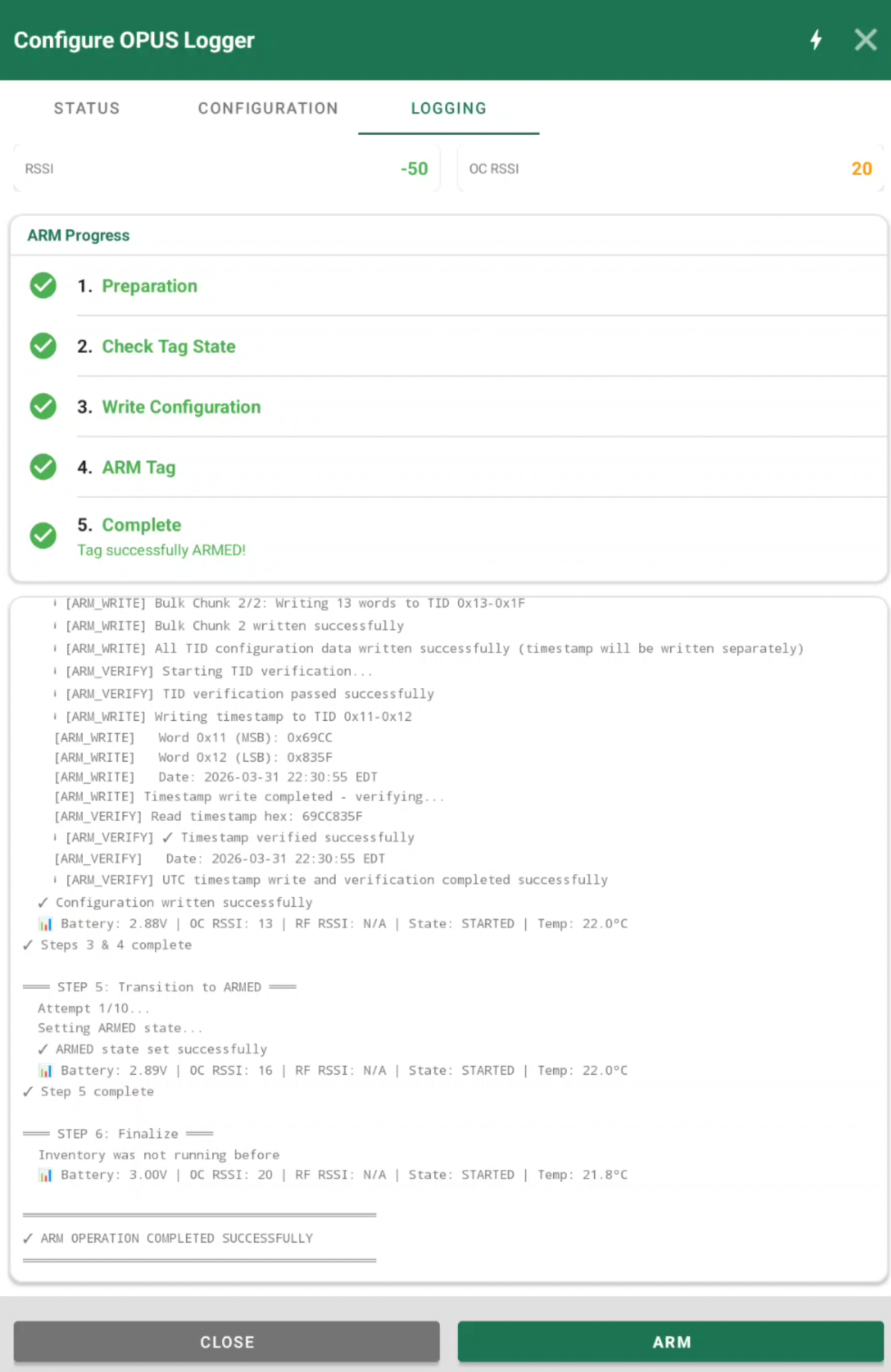
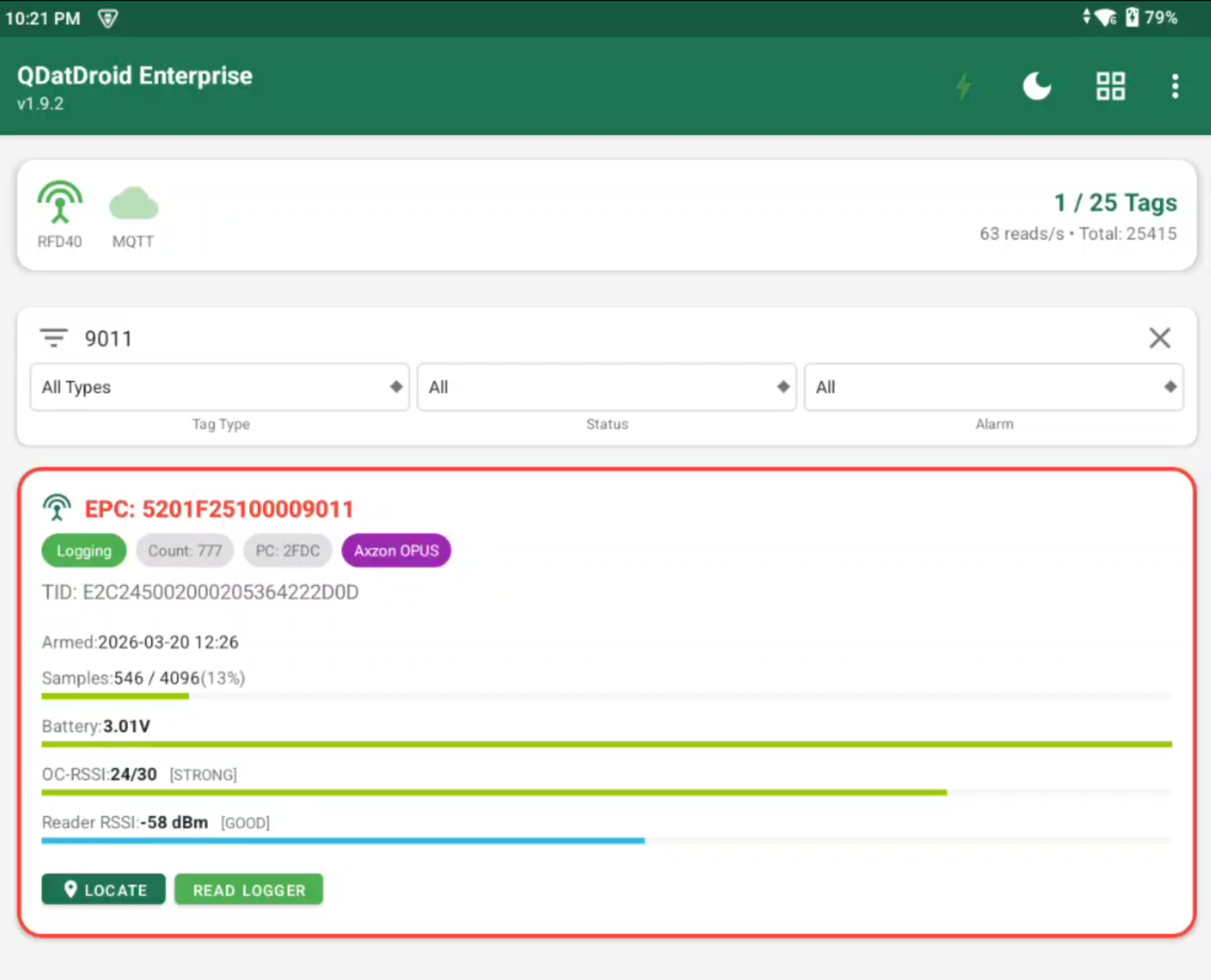
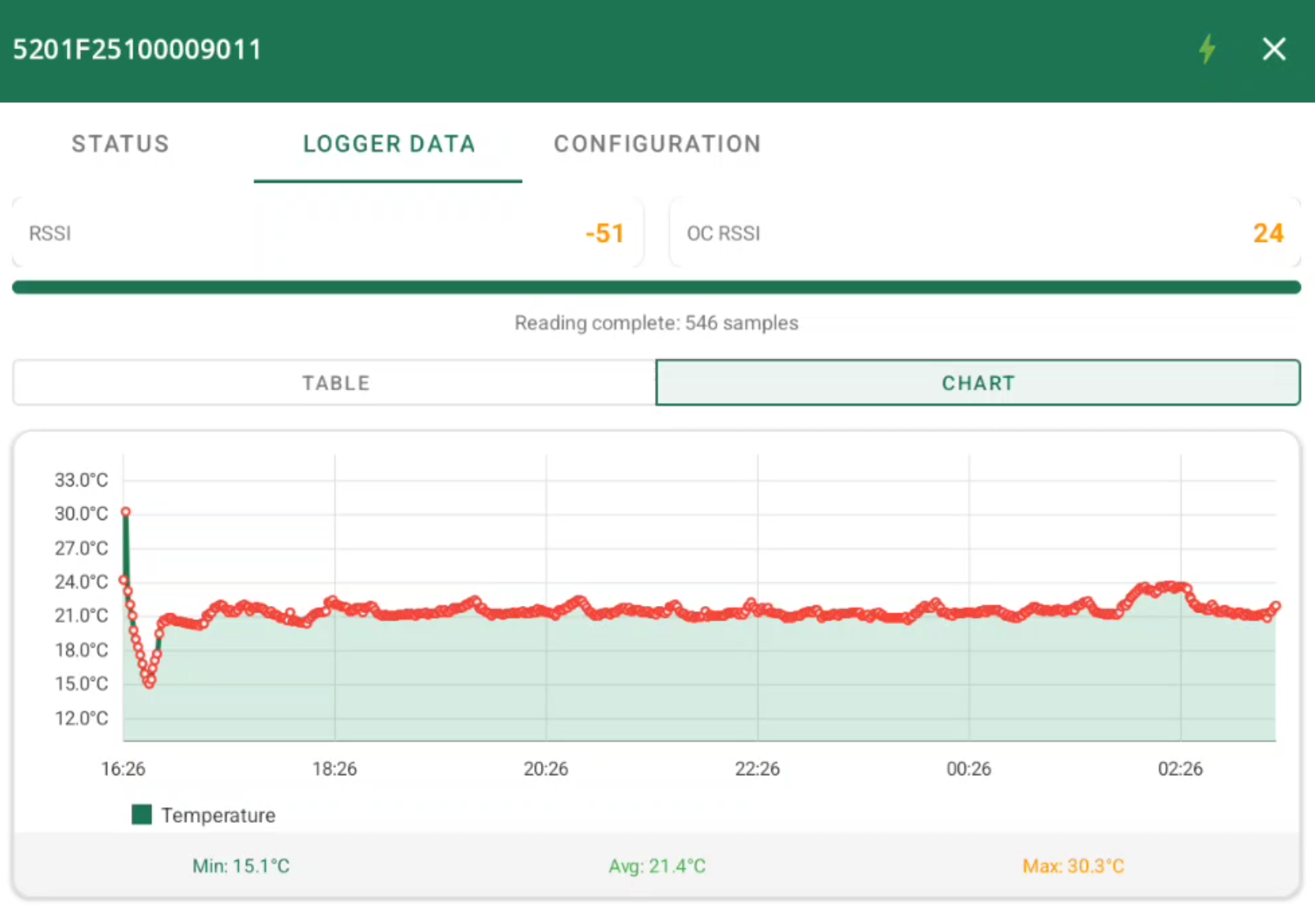
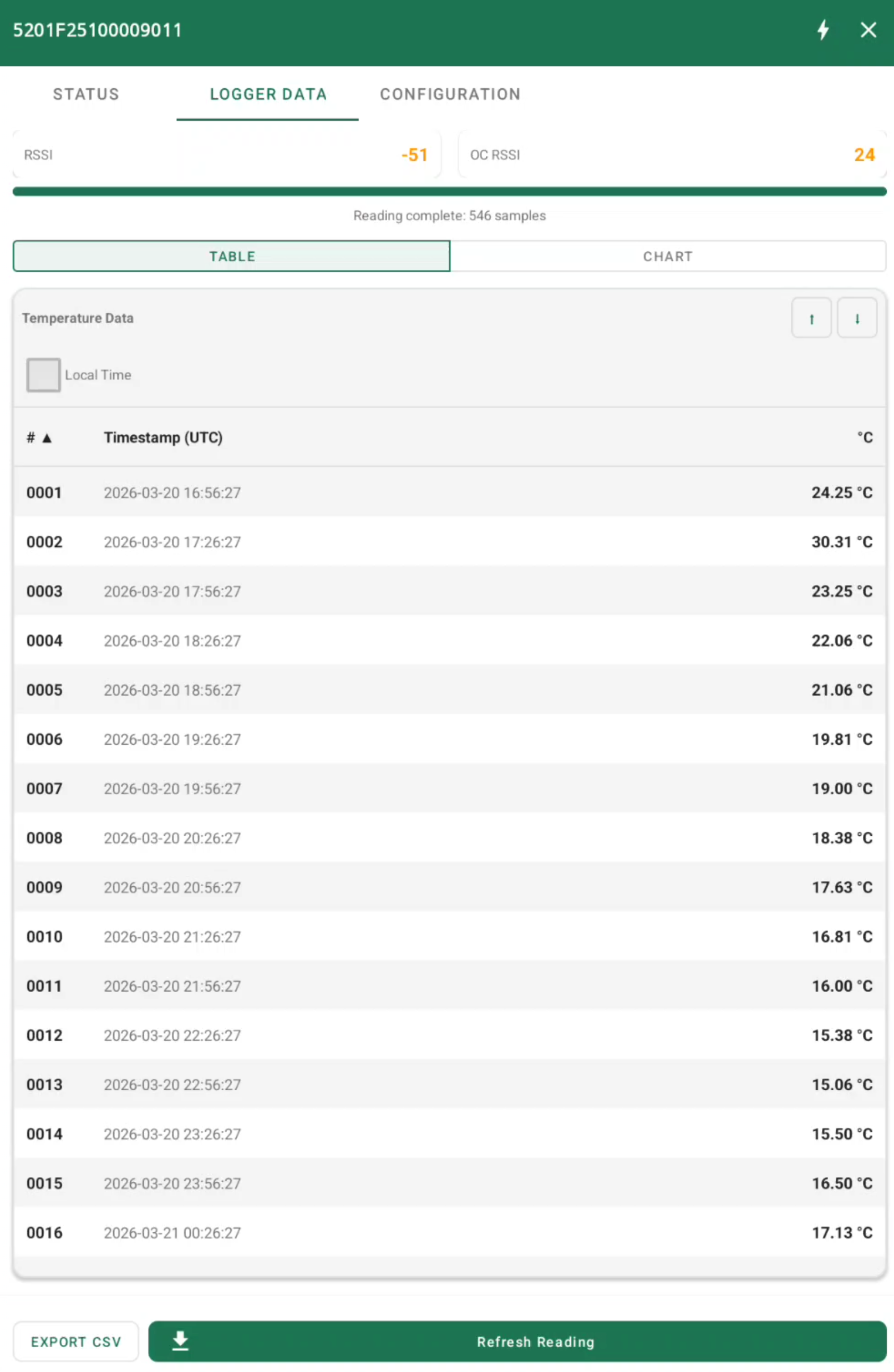
Every screenshot is available here in reduced footprint. Click any panel to open the full image.
QDat.io flow
3 screens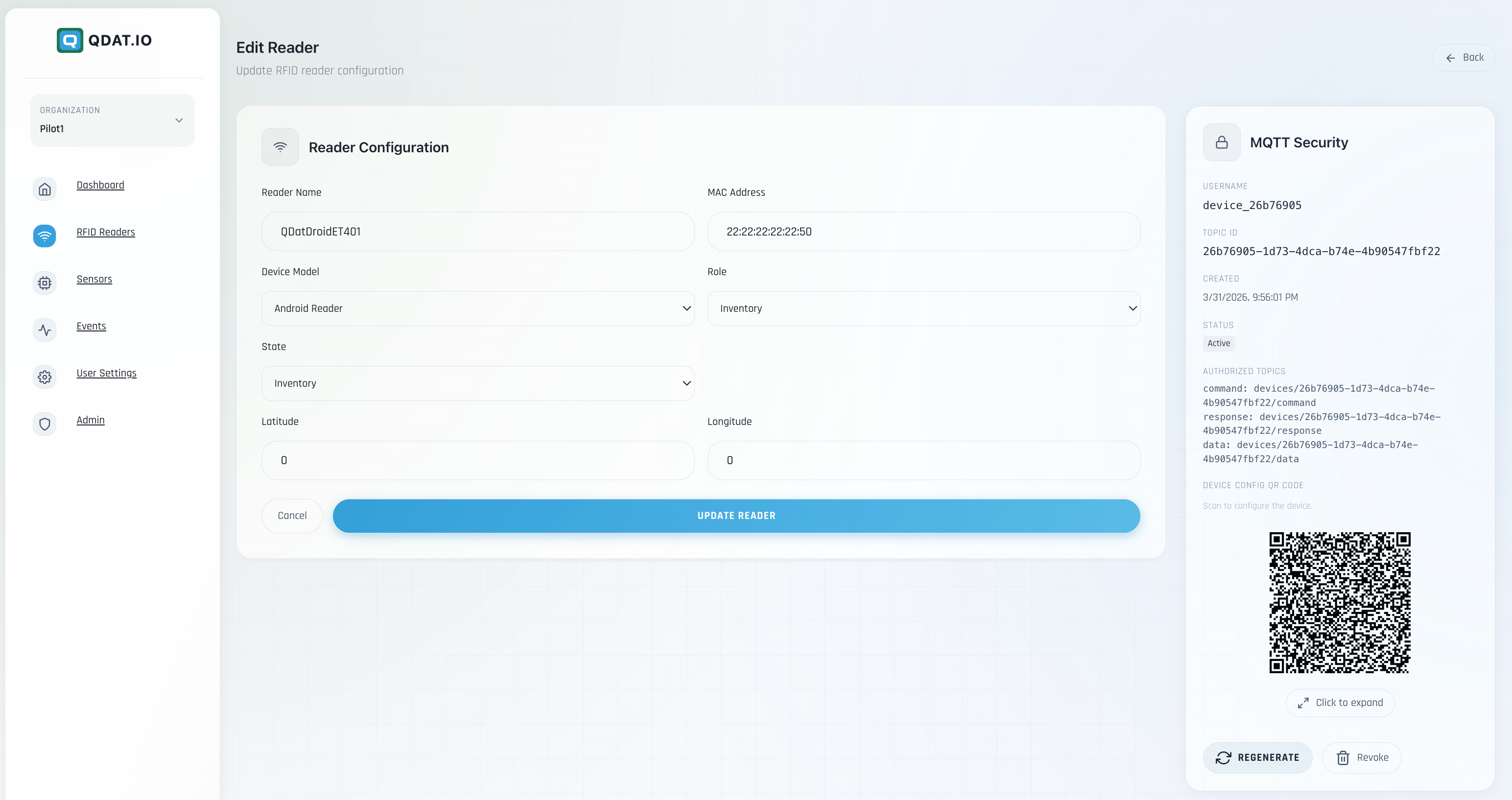



QDatDroid Access Form
Complete the form to receive QDatDroid download and onboarding details.